
Crew app & time clock
Crew hours you can trust, without the paper timesheets.
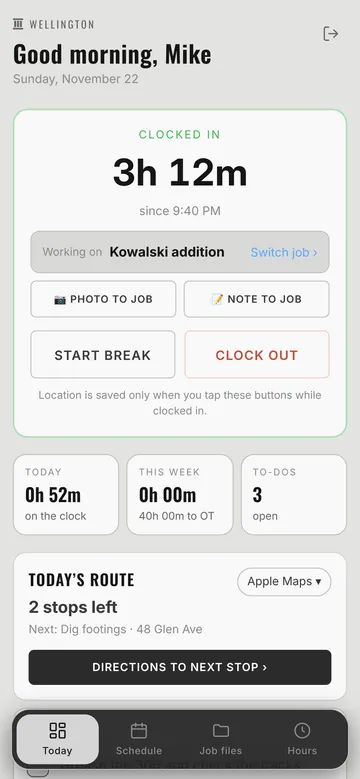
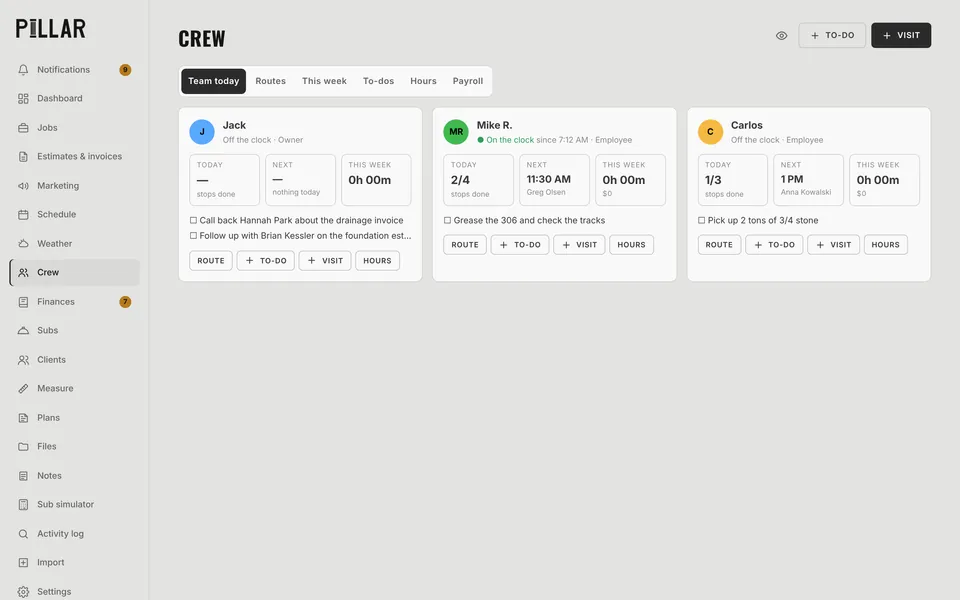
Your crew signs in with a text code, clocks in, switches jobs as the day goes, and sends photos and notes straight to the job. You see who's on the clock, where they clocked in, and hours by job.
Time clock
Clock in, switch jobs, clock out
Crew members tap Clock in, pick the job, and tap Switch job when they move. Pillar records the time on each job, plus breaks, so job costs and payroll both come out right.
- Sign in with a text code: no passwords to forget
- Location saved only at the moment they tap, never tracked all day
- Hours this week with time left before overtime
- Owners and office can clock in too (optional)
In the field
Photos, notes and to-dos land on the right job
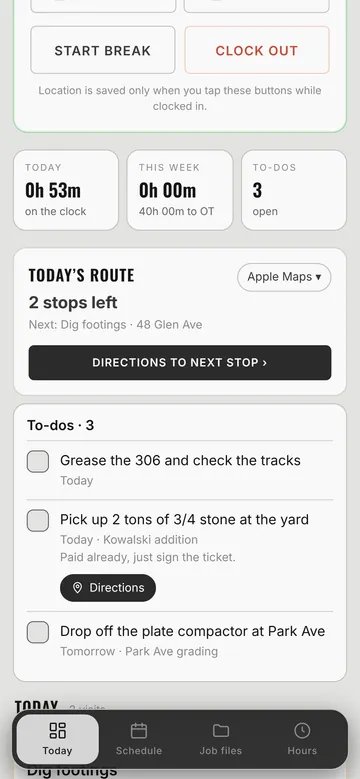
Crews snap photos and add notes from the job site, and they show up on the job for the office. To-dos can be assigned to a person and a job, with directions when there's a place to go.
- Today's route with one-tap directions
- Their own schedule for the day and week
- To-dos with checkboxes, assigned by you
- Job files and plans they're allowed to see
Payroll
Timesheets ready for payroll in minutes
Hours roll into timesheets by person and by job. Pillar gets the hours right and hands them to your payroll provider. It never runs payroll itself, so there's no new liability for you.
- Daily and weekly hours by person
- Labor cost per job from each person's pay rate
- Export hours for your payroll provider
Questions
Crew app & time clock: common questions
Does the crew app track employees all day?
No. Pillar saves the location only at the moment a crew member taps Clock in, Clock out or Switch job. That gives you proof they were on site without following them around all day.
How do crew members sign in?
With their phone number and a text code. There's no password to forget, and you can remove someone's access any time.
Does Pillar run payroll?
No. Pillar tracks hours accurately by person and job and exports them for your payroll provider. Keeping payroll with a payroll company keeps you out of tax-filing liability.
Works together
The rest of Pillar
Every feature shares the same jobs, clients and numbers, so nothing gets typed twice.
Estimates & invoices
E-sign, deposits, online payments
Scheduling & routes
Calendar, routes, online booking
Pillar AI
Ask anything, make changes by talking
Finances & QuickBooks
Bank sync, job costing, P&L
Plans & takeoffs
PDF takeoffs and satellite measuring
Weather planning
Rain flags, swap ideas, 6 AM alerts
Run the whole business from one app.
Estimates, schedule, crew, money and an AI that knows your jobs. Try Pillar free for a month. No card needed.