
Weather planning
See the rain coming. Swap the schedule before it hits.
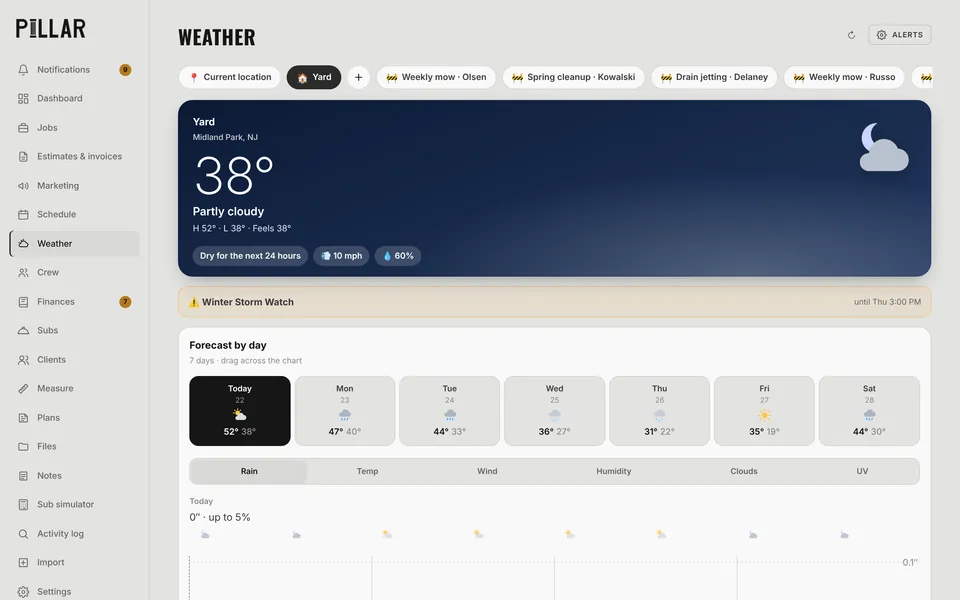
Pillar checks the forecast for every scheduled visit, flags the ones rain could stop, and suggests a fix, like swapping Tuesday's dig with Thursday's interior trim. Apply it in one tap, undo in one tap.
Flags
Every visit gets a verdict
Good, Watch, Likely stop or Don't go, with the reason: "Rain likely: 0.6″ could stop Dig footings." Ground conditions and the next dry window help you decide whether to send the crew.
- Forecast at the yard, your saved places and every job site
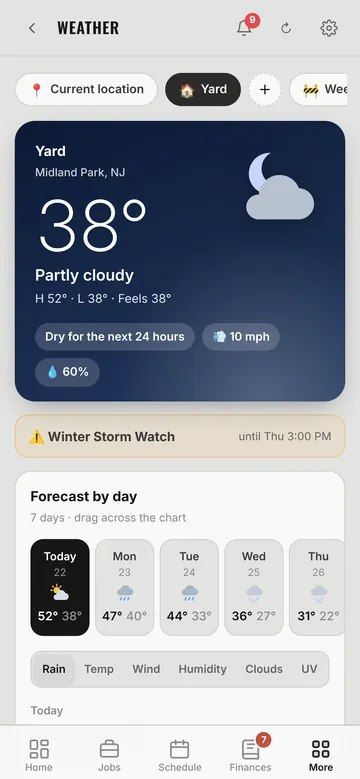
- Hour-by-hour rain, temperature, wind, humidity and clouds
- Best days for the kind of work you do
- Weather alerts and watches on the page
Fix it
Swap and move ideas, and a 6 AM heads-up
When rain threatens a visit, Pillar looks for a swap with work that can handle it, or the first good day to move it to. At 6 AM you get one push with any new problems, so the crew isn't loading the truck for nothing.
- One-tap Swap or Move, with Undo
- Ideas show on the Weather page and in your inbox
- Pillar AI can move visits around the weather for you
Questions
Weather planning: common questions
Where does the forecast come from?
Pillar uses the National Weather Service forecast for each address on your schedule.
Will Pillar move my jobs automatically?
No. It suggests a swap or a move and you decide. Applying it takes one tap, and so does undoing it.
Works together
The rest of Pillar
Every feature shares the same jobs, clients and numbers, so nothing gets typed twice.
Estimates & invoices
E-sign, deposits, online payments
Scheduling & routes
Calendar, routes, online booking
Crew app & time clock
GPS clock-in, photos, timesheets
Pillar AI
Ask anything, make changes by talking
Finances & QuickBooks
Bank sync, job costing, P&L
Plans & takeoffs
PDF takeoffs and satellite measuring
Run the whole business from one app.
Estimates, schedule, crew, money and an AI that knows your jobs. Try Pillar free for a month. No card needed.