
Estimates & invoices
Estimates that get signed. Invoices that get paid.
Build a clean, branded estimate in minutes, send a link, and let the client pick options, sign and pay the deposit from their phone. Pillar tracks every view and follows up for you.
Build
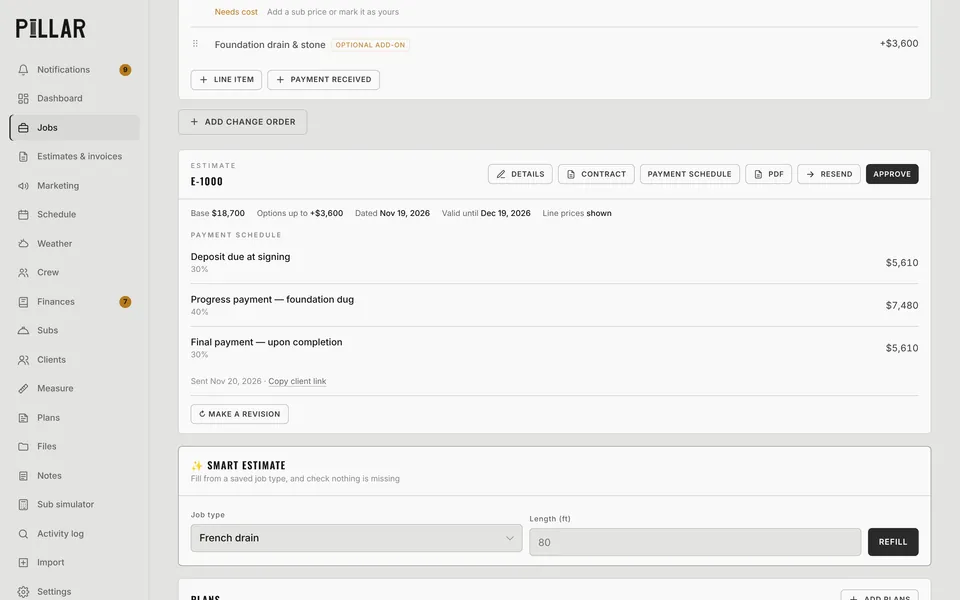
Line items, scope and options, the way you actually bid
Every line gets its own price and scope bullets. Mark lines as optional add-ons or "choose one" options and the client picks on their link. The total and payment schedule update as they choose.
- Payment schedules: deposit, progress and final, by % or fixed amounts
- Valid-until date (30 days by default) and numbered estimates (E-1001…)
- Revisions labeled Revision 1, 2, 3, with the history kept
- Saved line items and smart estimates by job type, so repeat work takes seconds
- Show or hide line prices per estimate
Sign & pay
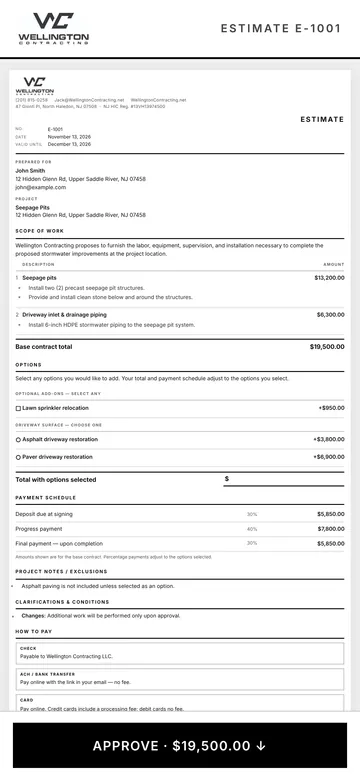
One link. Approve, sign, pay the deposit.
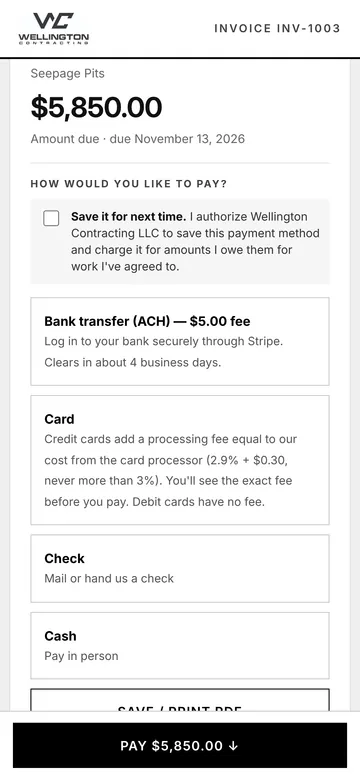
Clients open a clean page on any phone, read the scope, pick options, e-sign and pay. Approving turns the estimate into an active job and creates the deposit invoice automatically.
- Online card and ACH payments through your own Stripe account
- Pass the card processing fee to the client at cost, or turn it off
- Clients can save a card or bank on file for the next invoice
- Check and cash options for clients who still pay the old way
Follow up
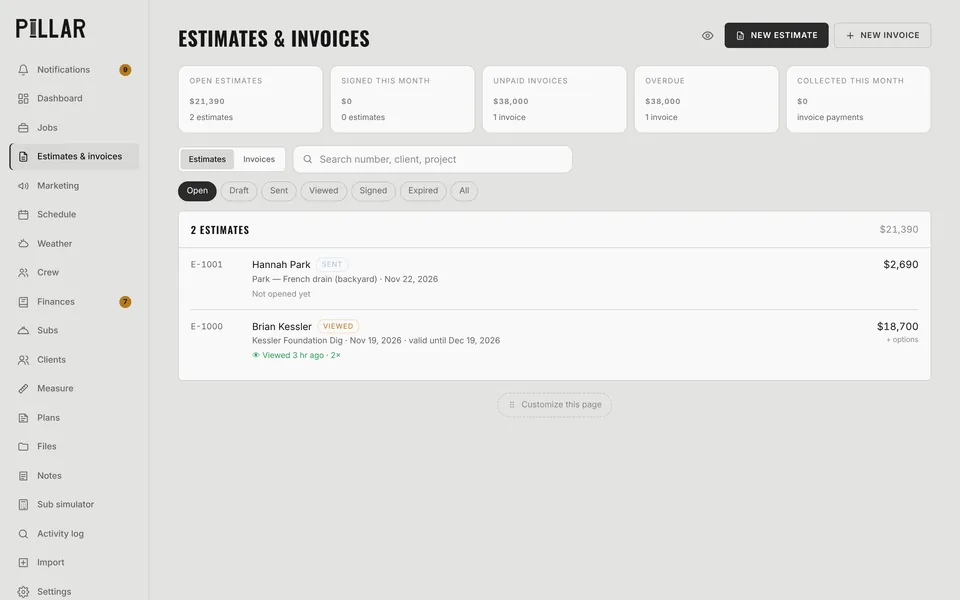
Know who opened it, and chase it without the awkward call
See "Viewed 2 hr ago · 2×" on every estimate and invoice. Overdue invoices and estimates waiting a few days land in your inbox with a one-tap Remind or Follow up.
- Automatic reminder emails and texts you control
- Invoice a single finished line item in one tap
- Change orders with their own PDF and signature
- PDFs named job + number + date, ready to file
Questions
Estimates & invoices: common questions
Can clients sign estimates online?
Yes. Every estimate has a client link. The client reviews the scope, picks any options, types or draws a signature and approves. Pillar records who signed and when, and turns the estimate into a job.
How do online payments work?
Each company connects its own Stripe account in a couple of minutes. Clients pay by card or ACH bank transfer from the invoice link, and the money goes straight to your Stripe account. Pillar doesn't take a cut of your payments.
Can I take a deposit when the client approves?
Yes. Set a payment schedule (for example 30% deposit, 40% progress, 30% final). When the client approves, Pillar creates the deposit invoice so they can pay it right away.
Can Pillar AI write an estimate for me?
Yes. Describe the job, dictate it, or upload a photo or PDF of an estimate from another program, and Pillar AI drafts the line items for you to review before anything is saved.
Works together
The rest of Pillar
Every feature shares the same jobs, clients and numbers, so nothing gets typed twice.
Scheduling & routes
Calendar, routes, online booking
Crew app & time clock
GPS clock-in, photos, timesheets
Pillar AI
Ask anything, make changes by talking
Finances & QuickBooks
Bank sync, job costing, P&L
Plans & takeoffs
PDF takeoffs and satellite measuring
Weather planning
Rain flags, swap ideas, 6 AM alerts
Run the whole business from one app.
Estimates, schedule, crew, money and an AI that knows your jobs. Try Pillar free for a month. No card needed.