
Finances & QuickBooks
Know which jobs make money, while they're still running.
Pillar connects your bank and cards, files each charge to the right job and category, and shows live profit on every job. Your accountant gets clean exports instead of a shoebox.
Job costing
Live profit on every job
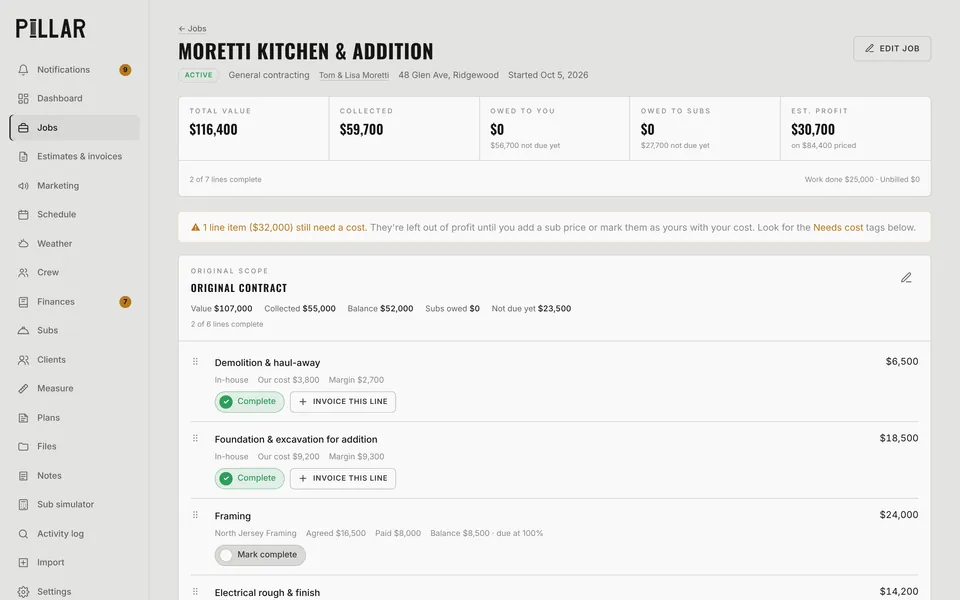
Each job shows total value, collected, owed to you, owed to subs and estimated profit. Line items know whether a sub or your own crew is doing the work, and labor cost comes from real clocked hours.
- Owed to you counts finished work, not the whole contract
- Subs are owed only when their line is done
- Lines missing a cost are flagged, so profit is never fake
- Profit by client and by job type
Bookkeeping
Bank sync, AI sorting and receipts
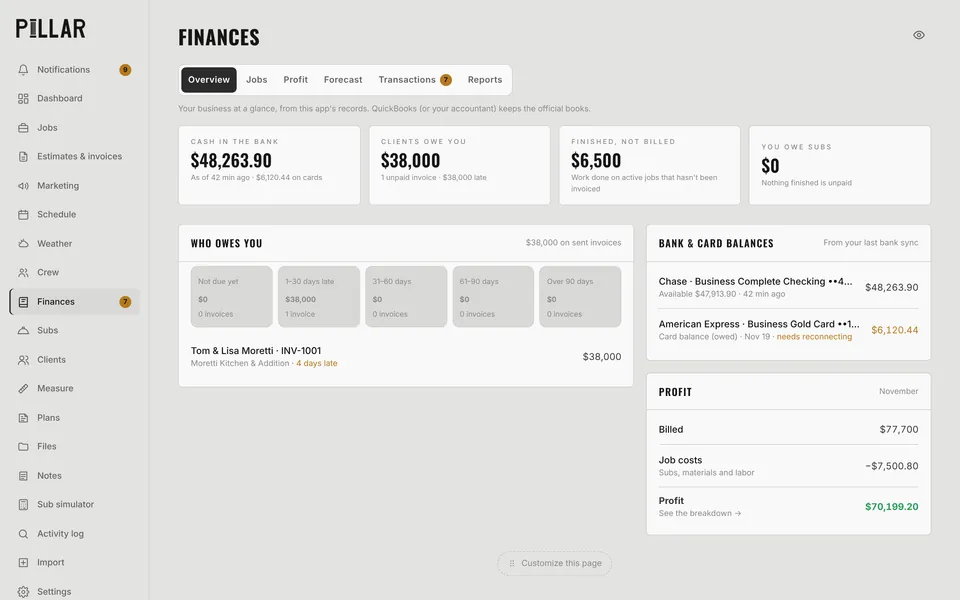
Connect your business bank and cards through Plaid. Pillar AI suggests the job and category for each charge and files the confident ones automatically. Snap a receipt and it attaches to the charge.
- Suggestions you approve in bulk, grouped by merchant
- Auto-files charges it's confident about (you set the switch)
- P&L, sales tax and 1099 subcontractor totals
- Accountant pack in Excel and a view-only accountant login
QuickBooks
Keep QuickBooks as the official books
Pillar doesn't try to replace your accountant's software. It sends invoices, payments, subcontractor bills and receipts to QuickBooks Online, line by line, so the books match what happened in the field.
- Invoices, payments and deposits
- Subs as 1099 vendors, with bills and bill payments
- Receipt attachments
- A nightly sync with a clear list of anything that needs a fix
Questions
Finances & QuickBooks: common questions
Does Pillar replace QuickBooks?
No. QuickBooks stays your official books. Pillar gives you a live, job-by-job view of the business and sends everything to QuickBooks Online cleanly. The QuickBooks connection is finishing Intuit's review and rolling out to companies now.
How does bank sync work?
You connect your business bank and card accounts through Plaid. Transactions come in once a day and Pillar AI suggests where each one goes.
What does my accountant get?
An Excel accountant pack and, if you want, a view-only login so they can look around without changing anything.
Works together
The rest of Pillar
Every feature shares the same jobs, clients and numbers, so nothing gets typed twice.
Estimates & invoices
E-sign, deposits, online payments
Scheduling & routes
Calendar, routes, online booking
Crew app & time clock
GPS clock-in, photos, timesheets
Pillar AI
Ask anything, make changes by talking
Plans & takeoffs
PDF takeoffs and satellite measuring
Weather planning
Rain flags, swap ideas, 6 AM alerts
Run the whole business from one app.
Estimates, schedule, crew, money and an AI that knows your jobs. Try Pillar free for a month. No card needed.